
 Technical SEO
Understanding Schema Markup for Local Businesses: A Practical Guide
Learn what schema markup is, which types matter for local businesses, how to implement JSON-LD structured data, and how to test it — with free generator tools.
What Is Schema Markup?
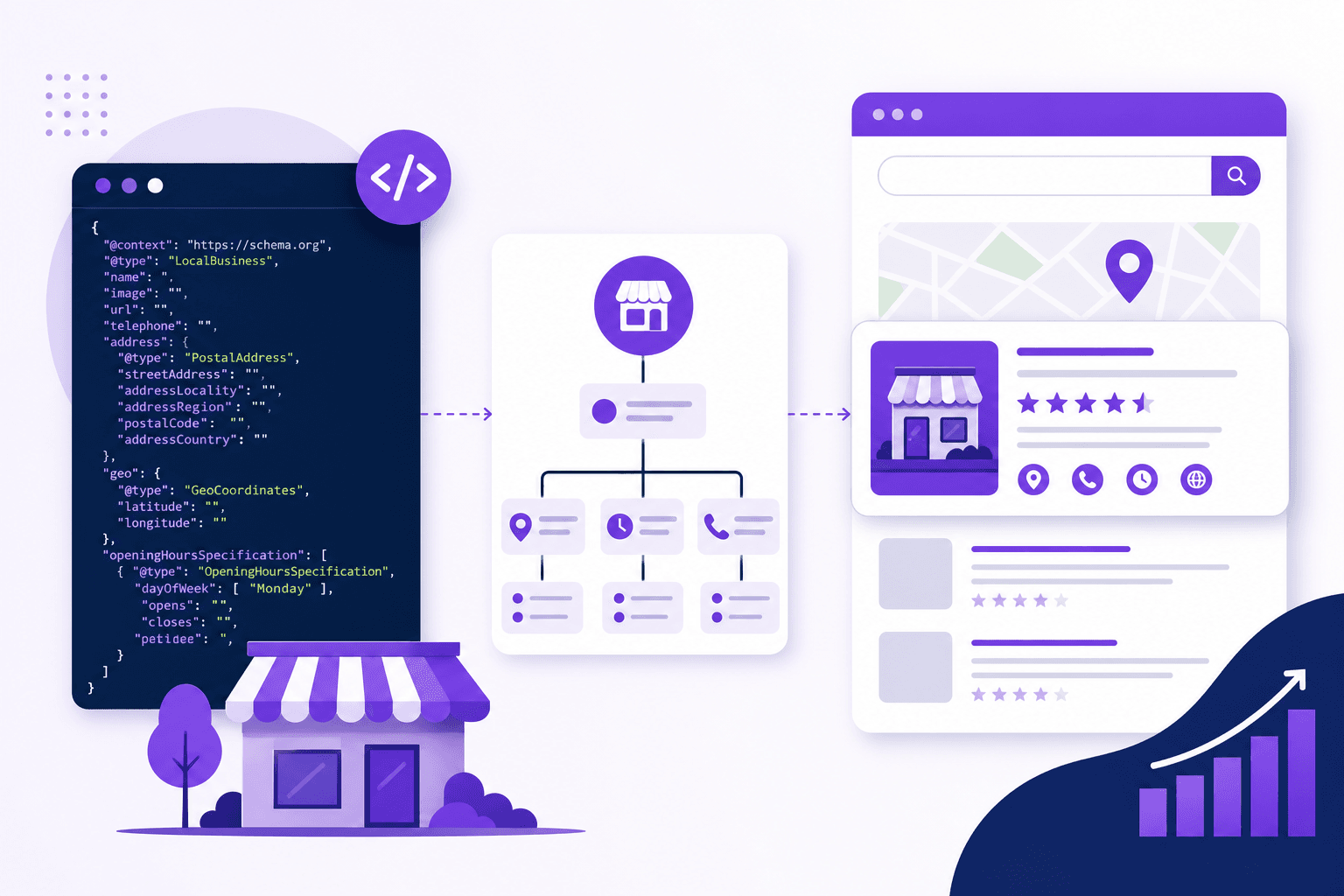
Schema markup (also called structured data) is a standardized vocabulary of tags you add to your website's HTML to help search engines understand your content. Defined by Schema.org — a collaboration between Google, Bing, Yahoo, and Yandex — it translates human-readable information into machine-readable data.
When Google understands your content, it can display rich results: star ratings, business hours, FAQ dropdowns, event dates, recipe cards, and more. These enhanced listings get significantly more clicks than standard blue links.
Stat: Pages with structured data receive up to 30% more clicks than pages without it, according to a 2025 Search Engine Journal study.
Why Schema Matters for Local Businesses
For local businesses, schema markup provides three key advantages:
- Rich results in search — your listing can show stars, hours, phone number, and address directly in Google.
- Knowledge panel data — Google's knowledge panel pulls from structured data to display your business info.
- Voice search optimization — when someone asks "Hey Google, what time does Joe's Pizza close?" Google reads your schema data.
Schema Types Every Local Business Should Use
1. LocalBusiness Schema
This is the foundation. It tells Google your business name, address, phone number, hours, geo-coordinates, payment methods, and more. Every local business website should have this.
Generate yours instantly with our Local Business Schema Generator.
2. Organization Schema
Broader than LocalBusiness, Organization schema describes your company at a higher level — logo, social profiles, founding date, and contact information. It helps Google build a comprehensive knowledge panel.
Use our Organization Schema Generator to create it.
3. FAQ Schema
If your website has a FAQ section, wrapping it in FAQPage schema lets Google display expandable questions and answers directly in search results. This can dramatically increase your SERP real estate.
Build yours with our FAQ Schema Generator.
4. Review / AggregateRating Schema
Display star ratings in search results. If your site collects reviews, AggregateRating schema tells Google the average rating, review count, and best/worst rating. Note: Google has strict guidelines — only use this for genuine, first-party reviews.
Create it with the Review Schema Generator.
5. Service Schema
Service businesses (plumbers, lawyers, consultants) can describe individual services with descriptions, pricing, and availability. This helps Google match your page to service-specific queries.
Try our Service Schema Generator.
6. Breadcrumb Schema
Breadcrumb markup shows your site hierarchy in search results (Home > Services > Plumbing). This improves navigation understanding and click-through rate.
Generate it with the Breadcrumb Schema Generator.
| Schema Type | Best For | Rich Result Type |
|---|---|---|
| LocalBusiness | All local businesses | Knowledge panel, Maps |
| Organization | Companies with a brand presence | Knowledge panel, logo |
| FAQPage | Pages with Q&A content | Expandable FAQ in SERP |
| AggregateRating | Businesses with reviews | Star ratings in SERP |
| Service | Service-based businesses | Service details |
| BreadcrumbList | Multi-page websites | Breadcrumb trail in SERP |
| Product | E-commerce, retail | Price, availability, ratings |
| Event | Businesses hosting events | Date, venue, tickets |
How to Implement Schema with JSON-LD
Google recommends JSON-LD (JavaScript Object Notation for Linked Data) as the preferred format for structured data. It lives in a <script> tag in your page's <head> and does not affect your visible content.
Example: Minimal LocalBusiness Schema
Here is what a basic LocalBusiness JSON-LD looks like:
{
  "@context": "https://schema.org",
  "@type": "LocalBusiness",
  "name": "Joe's Pizza",
  "address": {
    "@type": "PostalAddress",
    "streetAddress": "123 Main Street",
    "addressLocality": "New York",
    "addressRegion": "NY",
    "postalCode": "10001",
    "addressCountry": "US"
  },
  "telephone": "+1-212-555-0100",
  "openingHoursSpecification": [
    {
      "@type": "OpeningHoursSpecification",
      "dayOfWeek": ["Monday","Tuesday","Wednesday","Thursday","Friday"],
      "opens": "11:00",
      "closes": "22:00"
    }
  ],
  "url": "https://joespizza.com",
  "image": "https://joespizza.com/storefront.jpg"
}
Where to Place It
Paste the <script type="application/ld+json">...</script> block in your page's <head> section. If you use a CMS like WordPress, plugins like Yoast or Rank Math can inject it for you. If you have a static site, paste it manually or use our generators to create the code.
How to Test Your Schema Markup
Always validate your structured data before and after deployment:
- Google Rich Results Test — search.google.com/test/rich-results — shows which rich results your page is eligible for.
- Schema Markup Validator — validator.schema.org — checks for syntax errors in any schema format.
- Google Search Console — the "Enhancements" section shows schema errors and warnings across your entire site.
Common Schema Mistakes to Avoid
- Using schema for content not visible on the page. Google requires that structured data reflects content users can actually see. Hidden or misleading schema is a policy violation.
- Incorrect business type. Use the most specific type: "Dentist" instead of "MedicalBusiness," "ItalianRestaurant" instead of "Restaurant."
- Missing required properties. Each schema type has required and recommended fields. Missing required fields prevents rich results.
- Fake reviews in AggregateRating. Google can issue manual actions (penalties) for fabricated review data.
- Not updating schema after business changes. If you change your hours, phone number, or address, update your schema too.
Getting Started: Use Our Free Generators
You do not need to write JSON-LD by hand. Our free schema generators produce valid, ready-to-use code:
- Local Business Schema Generator
- Organization Schema Generator
- FAQ Schema Generator
- Article Schema Generator
- Product Schema Generator
- Review Schema Generator
- Service Schema Generator
- Breadcrumb Schema Generator
- Event Schema Generator
Pick the schema types relevant to your business, generate the code, paste it into your site, and validate with Google's tools. The whole process takes less than 30 minutes and the SEO benefits are permanent.
About the Author
Navjeet Kamboj — Founder & Local SEO Editor. Navjeet builds and edits local business guides on Submit Your Store, focusing on helpful, accurate content backed by real data — not paid placements.